- New


Condition New: A brand-new
Compatible Series Canon Pixma
Custom Bundle No
MPN QY6-0082-010
Compatible Model QY6-0082-000
Country/Region of Manufacture Japan
Compatible Brand For Canon
Brand Canon
Color Multicolor
Type Printhead
 Secure and trusted transactions guaranteed
 Fast, reliable, and secure delivery guaranteed
 Easy returns, guaranteed satisfaction
Compatible Printers :
Canon Printhead for iP7210, iP7220, iP7240, iP7250, iP7280, MG5410, MG5420, MG5450, MG5460, MG5470, MG5520, MG5550, MG5620, MG5650, MG5720, MG5721, MG5722, MG5750, MG5751, MG5752, MG5753, MG6420, MG6450, MG6620, MG6650, MG6820, MG6821, MG6822, MG6850
Is this a genuine, new OEM Canon printhead? YES!! Some other sellers offer counterfeit heads from China. But I sell only new, unopened printheads manufactured by Canon in Japan.
Is this the same as a QY6-0082-000? What is the difference between QY6-0082-000 and QY6-0082-010? The QY6-0082-010 that I'm selling is a direct, perfect replacement for a QY6-0082-000. The only difference is that the QY6-0082-010 contains slight design improvements from Canon. (It's like saying "version 1.1".)
Does the printhead come with ink cartridges? No.
Can I reuse my old ink cartridges in the new printhead? Yes, if they still have ink in them.
What causes horizontal white lines in the print? Usually dried nozzles in the printhead.
What does a B200 error mean? This means the printhead has failed. Replacing the printhead will fix this error code.
My printer had a B200 error code. I replaced the printhead and the B200 error code went away. But now the printer prints only blank pages. What's wrong? Unfortunately this means that in addition to the B200 error, there is a secondary problem with your printer.
How can I fix blurry print? First try running a head alignment. If that doesn't work, clean the encoder strip. The encoder strip is a strip of clear plastic about 1/4" tall that runs left to right above the printhead carriage shaft. The clear plastic has a series of tiny, vertical black lines inside that allow the printer to keep track of the position of the head. Clean it, front and back, with a damp paper towel.
Can I revive my old printhead? Maybe! The most important thing to try is cleaning the parking station. Here's how:
Open the front (as if to change cartridges).
Unplug your printer.
Look inside to the right (or left).
Slide the printhead carriage to the other side so that you have access to the parking station.
Look for the parking station. It looks like two (or more) sponges the size of a postage stamp, surrounded by rubber seals.
Use some damp paper towels and/or Q-tips to clean that area (especially the rubber seals) as best as you can.
Let it air dry.
Plug it in.
Turn it on. The printhead will automatically move back to the proper location. (You don't need to manually slide it back.)
Try to print.
Are there any other tricks I can try to revive my printhead? Yes. If cleaning the parking station doesn't work, here are a few other things to try:
Run a few deep cleaning cycles.
Make sure your ink cartridges have enough ink in them.
If you're using 3rd party ink, try using genuine Canon ink. Sometimes the 3rd party ink tanks don't have the right internal air pressure, making it hard for the ink to come out.
Remove the printhead and clean the bottom with a damp paper towel. Be careful only to wipe front to back. Wiping side to side can cross-mix the colors.
Soak the printhead nozzles in Windex.
Using a hypodermic needle, inject a little Windex through the sponge into the bottoms of the ink tanks. Then run a cleaning cycle.
What is the purpose of the parking station, and why is cleaning it so important? The parking station is the place where the print head “rests” when it is not printing. Usually it’s on the right side of the printer (looking at the printer from the front). The parking station has rubber seals that are supposed to surround the printhead when it’s parked. These seals have two purposes: 1) to keep the printhead from drying out when it is not printing, and 2) to provide a tight seal for strong suction when the printer is self-cleaning the head. Some printers also have rubber wiper blades that move across the bottom of the printhead to remove accumulated ink. All these rubber pieces get “gunked” up over time with condensed ink. This prevents a tight seal, allowing the head to dry out and preventing suction during the cleaning cycle.
Part is 100% genuine and fits our printer exactly. Recommended.
Condition New: A brand-new
Compatible Series Canon Pixma
Custom Bundle No
MPN QY6-0082-010
Compatible Model QY6-0082-000
Country/Region of Manufacture Japan
Compatible Brand For Canon
Brand Canon
Color Multicolor
Type Printhead
New PF-08 Printhead Resetter PF 08 Print Head For Canon imagePROGRAF TC-20 TC-20M Printer Reset Tools
Genuine Canon PF-05 Printhead iPF6350/iPF6300/iPF6300S/iPF9400/iPF9400S/ iPF8400
Suitable printer model:
for 5 colors: iPF500/510/600/605/610/700/710//720/810/815/820/825
for 8 colors: iPF6000S/8000S/8010S/9000S/9010S
for 12 colors: iPF5000/5100/6100/6200/8000/8100/8110/9000/9100/9110 printer
Model Number: for Canon PF03 printhead
Type: for Canon PF-03 printhead
Compatible: for Canon PF03 PF 03 printhead
Feature: New.
Ink Type: Pigment ink; Dye Ink
Printer model 1: for Canon IPF500 IPF510 IPF600 IPF605 IPF610 IPF700
Printer model 2: for Canon IPF710 IPF720 IPF810 IPF815 IPF820 IPF825
Printer model 3: for Canon IPF8010S IPF8100 IPF8110 IPF9000 IPF9000S
Printer model 4: for Canon IPF9100 IPF9110 IPF5000 IPF5100
Printer model 5: for Canon IPF6000S IPF6100 IPF6200 IPF8000 IPF8000S
Package: Box Package
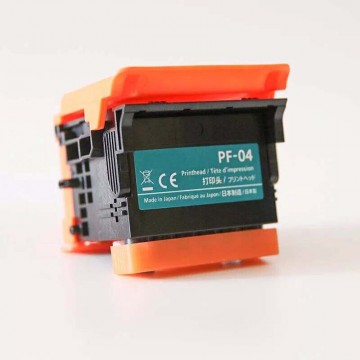
Canon Printhead PF-04 3630B001
Model number: Canon Printhead PF-04 3630B001
Brand: Canon CANON
Color: full color
Number of pages: official standard data
Applicable models:
IPF full range of print heads
iPF650 iPF655 iPF670 iPF671
iPF80 iPF681 iPF685
iPF686 iPF750
iPF760 iPF765 iPF770 iPF771 iPF780
iPF781 iPF785 iPF786 iPF830 iPF831
iPF840 iPF841 iPF850 iPF851
New PF-04 Printhead Chip Resetter for Canon iPF650 iPF655 iPF750 iPF760 iPF765 780
Get the Canon PF-07 Print Head 5230C003AA to ensure the best performance for your Canon imagePROGRAF GP-200 and GP-300 printers. Original, high-quality printhead with a 1-year warranty and free shipping!
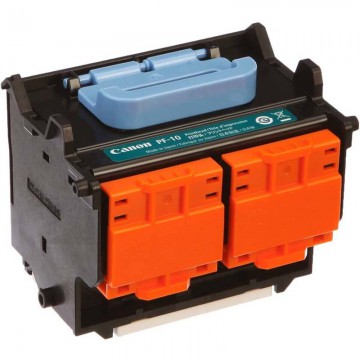
Canon Print Head PF-10 0861C003AA 0861C001 JAPAN ImagePROGRAF Pro Series Large
Brand Canon
MPN PF10, 0861C003AA
GTIN 0653341676603, 0013803267471
Compatible Brand For Canon
Compatible Model PRO-6000S, PRO-4000, PRO-1000, PRO-2000, PRO-4000S
Condition : New
100% Authentic from Japan
Enhance your printing capabilities with the Arizona 550 GT Kit F/S Printhead CE2 Bond (3W3010112660). This genuine printhead ensures high-resolution output and reliable performance for Océ Arizona 550 GT and Fujifilm Acuity Advance HS HD3545 printers.
Condition New: A brand-new
Brand Unbranded
Compatible Brand For Canon
Type RESETTER KIT
Compatible Model PF-10 For PRO-1000/2000/4000/4000S/6000S
MPN PRO-1000
Media Type fix printhead
Item Weight 0.3kg
UPC Does not apply
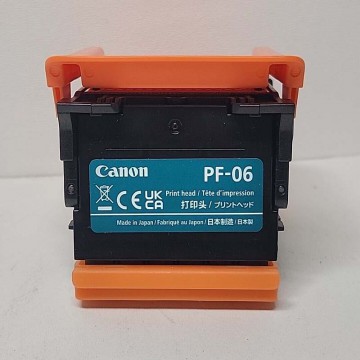
NEW Canon Print Head PRINTHEAD PF-06 imagePROGRAF 2352C001
Can use for Canon iPF6300 iPF6300S iPF6350 iPF6400 iPF6410 iPF6450 iPF6460 iPF8300 iPF8300S iPF8310 iPF8310S iPF8400 iPF8410 iPF9400 iPF9400S iPF9410 iPF9410S series printer.
Condition New: A brand-new
Non-Domestic Product No
Compatible Brand For Canon
Brand Canon
Type Printhead
Custom Bundle No
Color Multicolor
Compatible Series Canon Pixma
Compatible Model PRO-100
MPN QY6-0085-010
Country/Region of Manufacture Japan
New Canon PF-08 Print Head for imagePROGRAF TC-20
Replace your old printhead with the FSK-Printhead CE2 (3W3010122104) for Arizona 460 GT. This original printhead provides high-resolution printing with multi-drop grayscale technology, ensuring smooth gradients and sharp details.
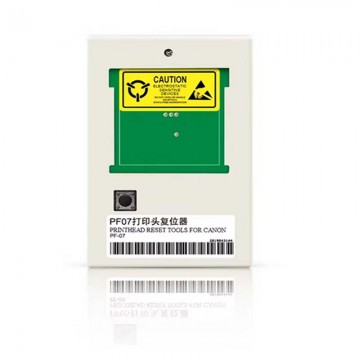
PF07 print head resetter nozzle for Canon PF-07 printer
Product Name
PF-07 Resetter for Canon
Suitable Printer
for CANON PF-07 printer
Advantage
1.Check the print head is good or not
2.Check the printer error
3.Change the model of the print head
4.Eliminate the error reported by printers
Quality
A+ Grade
Service
- 100% testing before shipping
- The defective rate is less than 1% and to be free 1:1 replaced in next order.
- 18 months warranty.